Capture exactly what you mean.
Every capture mode you need, triggered from global hotkeys or the menu bar / system tray.
- Region, window, full screen and multi-monitor capture
- Window capture with or without shadow and transparent corners
- Freeze-screen mode to grab menus, tooltips and hover states
- Delay timer and “repeat last region” hotkey
- Pixel magnifier, rulers and aspect-ratio locks
- Scrolling capture for long pages and chat threads PRO
- Retina / HiDPI aware, with correct color profiles
An editor that gets out of the way.
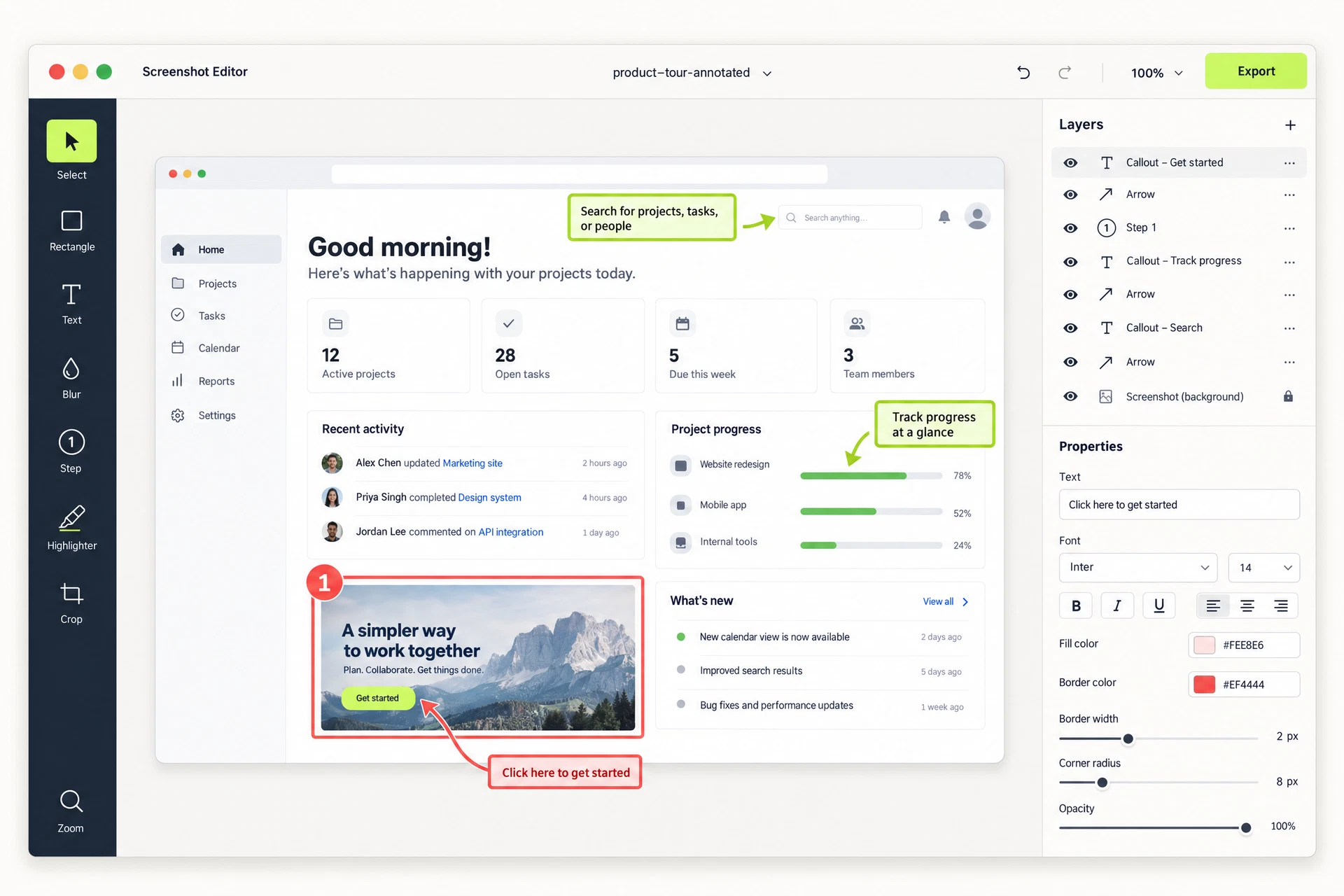
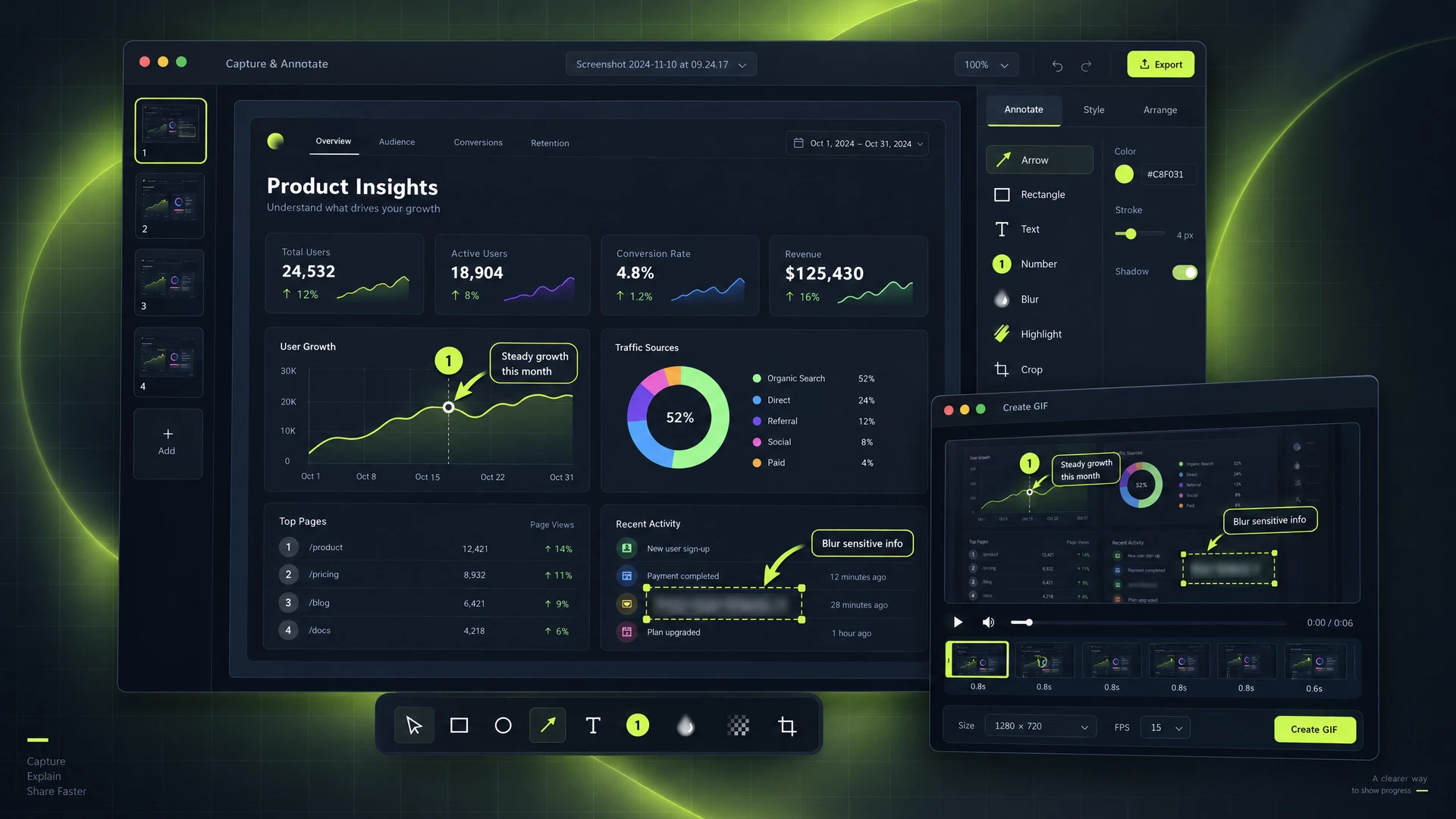
Everything is a layer. Move it, restyle it, delete it, long after you captured.
- Arrows, lines, rectangles, ellipses, callouts and freehand
- Auto-incrementing step badges for tutorials and bug reports
- Blur, pixelate and solid redaction for sensitive data
- Spotlight, magnifier and highlighter
- Text with custom fonts, plus emoji and stamps
- Themes: save colors, fonts and stroke styles and reuse them
- Canvas expansion, crop, rounded corners, shadows and device-style backgrounds
- Undo history that survives closing the editor via .glint projects
Text recognition that stays on your machine.
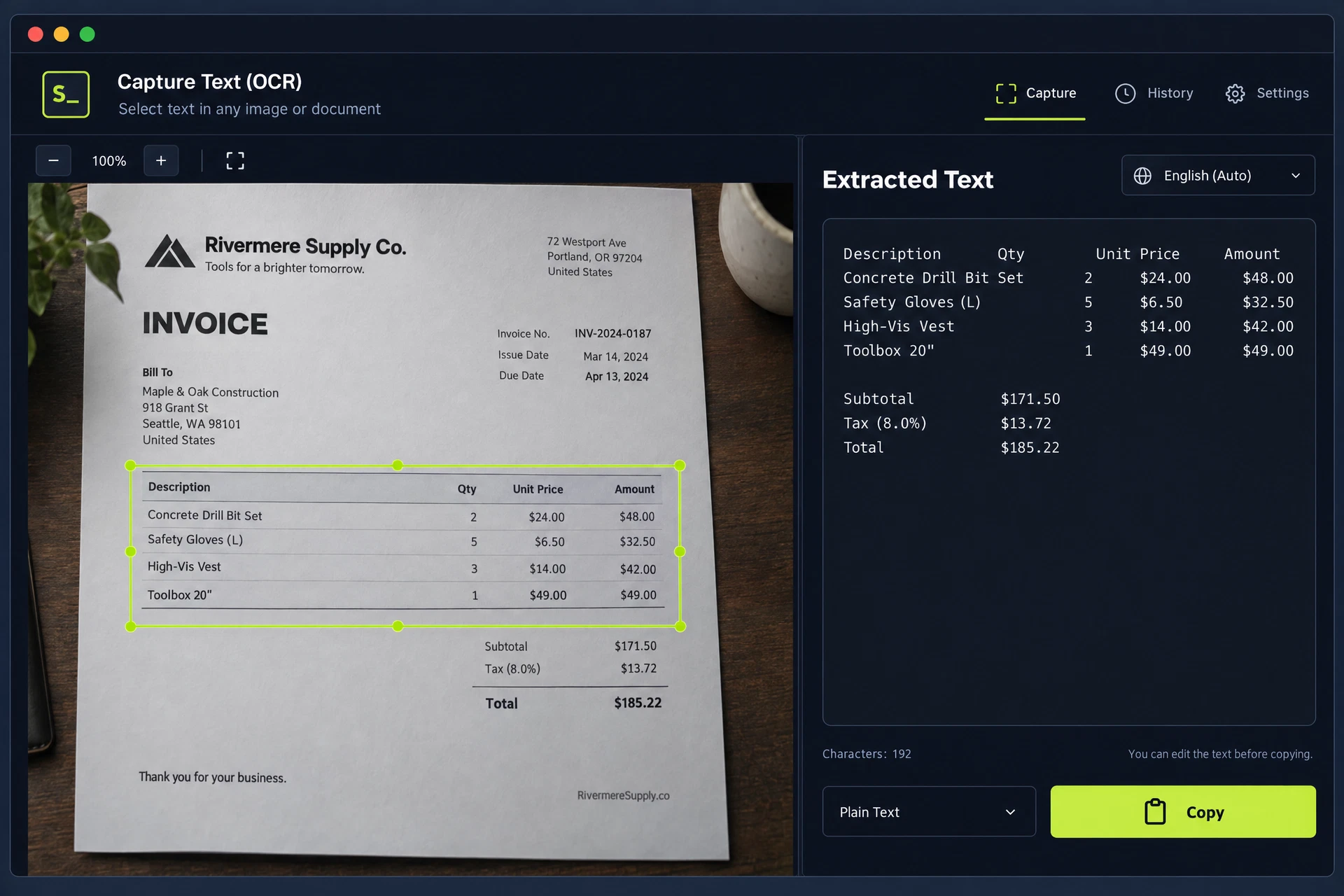
Select a region and Glint puts the text on your clipboard. No upload, no account, no per-page fees.
- On-device recognition for 40+ languages with auto-detect
- Preserve line breaks or reflow into clean paragraphs
- Search text inside your capture history
- Table extraction to CSV or clipboard PRO
- QR codes and barcodes decoded instantly PRO
- Works on images, videos paused on screen, remote desktops and protected viewers
Screen recording with a real editor attached.
Record a window, region or full display, then trim and export without opening another app.
- Microphone and system audio (see system requirements)
- Up to 1080p / 30 fps on Personal; 4K / 60 fps on Pro and Team
- Webcam bubble with shape, size and mirroring controls PRO
- Click highlights and keystroke overlay PRO
- Pause, resume and countdown. Cursor smoothing and hide-when-idle
- Built-in timeline: trim, cut, speed up and add captions or annotations
Small files. Sharp results.
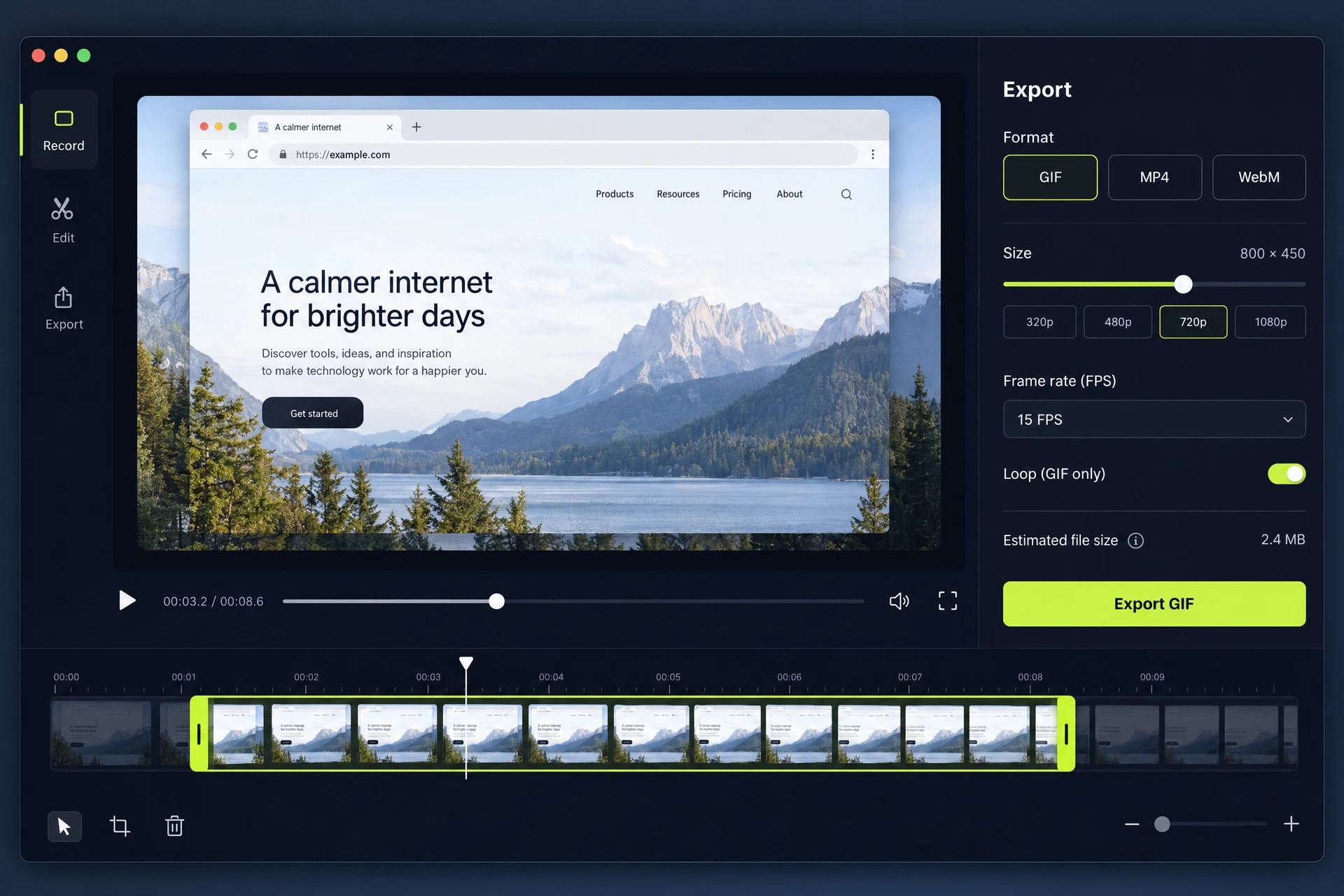
Smart palette optimization and frame de-duplication make GIFs dramatically smaller than screenshots-to-GIF converters.
Motion formats
GIF, animated WebP, APNG, MP4 (H.264 / HEVC) and WebM (VP9 / AV1 where supported by your hardware).
Target file size
Tell Glint “under 2 MB” and it tunes colors, frame rate and dimensions to hit the mark.
Image formats
PNG, JPG, WebP, HEIC (Mac), PDF and editable .glint projects. Copy as image, file or Markdown.
Hotkeys for humans. A CLI for scripts.
Every action has a global hotkey you can remap. Pro and Team add a command line interface and batch processing.
- Fully remappable global hotkeys
- Batch-apply a theme, resize or redaction to many files PRO
- Scriptable CLI for CI screenshots and docs pipelines PRO
- Managed settings file for consistent team setups TEAM
$ glint ocr ./shots/*.png --format csv
$ glint export demo.glint --gif --max-size 2MB
# ✓ demo.gif · 1.84 MB · 12.4 s
Your screen is private. Glint treats it that way.
Local-first
Captures, recordings and OCR are processed on your device and stored where you choose.
No telemetry by default
Anonymous crash reports are strictly opt-in. Update checks can be disabled.
Signed & notarized
Mac builds are notarized by Apple; Windows installers are code-signed. Read the Security Policy.
Which plan has what.
| Personal | Pro | Team | |
|---|---|---|---|
| Capture | |||
| Region, window, full screen, delay | ✓ | ✓ | ✓ |
| Freeze screen & multi-monitor | ✓ | ✓ | ✓ |
| Scrolling capture | — | ✓ | ✓ |
| Edit & OCR | |||
| Full annotation editor & themes | ✓ | ✓ | ✓ |
| On-device OCR (40+ languages) | ✓ | ✓ | ✓ |
| OCR tables → CSV, QR & barcodes | — | ✓ | ✓ |
| Record & export | |||
| Screen recording | 1080p / 30 | 4K / 60 | 4K / 60 |
| Webcam, click & keystroke overlays | — | ✓ | ✓ |
| GIF, WebP, APNG, MP4, WebM export | ✓ | ✓ | ✓ |
| Target file-size export | ✓ | ✓ | ✓ |
| Automation & sharing | |||
| Custom uploads (S3, SFTP, WebDAV) | — | ✓ | ✓ |
| CLI & batch processing | — | ✓ | ✓ |
| Shared themes & managed settings | — | — | ✓ |
| Licensing | |||
| Devices | 2 | 5 | 2 per seat |
| Users | 1 | 1 | 3–50 seats |
| Seat reassignment & admin | — | — | ✓ |
| Consolidated invoice | — | — | ✓ |
| All Glint 2.x updates | ✓ | ✓ | ✓ |
| Support target | 2 business days | 1 business day | 1 business day |
| Price (one-time) | $49 | $89 | $79 / seat |
| Optional Glint 3 upgrade | $25 | $45 | $39 / seat |