Capture it once.
Own it for life.
Glint is the screen capture toolkit for Mac and Windows: annotate, grab text with OCR, record, and export tiny GIFs. One payment. No subscription. Ever.
One-time payment · 30-day money-back guarantee · Mac & Windows
Six tools you'd otherwise pay for separately.
Stop juggling a screenshot app, an annotation tool, an OCR utility and a screen recorder. Glint does all of it in one fast, native-feeling app.
Capture anything
Region, window, full screen, scrolling pages, delayed capture and freeze-frame. Multi-monitor and HiDPI aware, with a pixel-perfect magnifier.
Annotate like a pro
Arrows, shapes, step numbers, spotlight, blur, pixelate, highlighter, text and stamps, on non-destructive layers you can edit later.
Grab text with OCR
Select any region and copy the text. On-device recognition in 40+ languages, table-to-CSV and QR codes. Nothing leaves your machine.
Record your screen
Up to 4K/60 with microphone, system audio, webcam bubble, click highlights and keystroke overlays. Trim in a built-in timeline.
Export tiny GIFs
Optimized GIF, animated WebP, APNG, MP4 and WebM with target file-size control, so your demo fits in any issue tracker or chat.
Share without accounts
Copy, drag-and-drop, save to folders, or upload to your own S3, SFTP or WebDAV. No cloud login, no watermark, no lock-in.
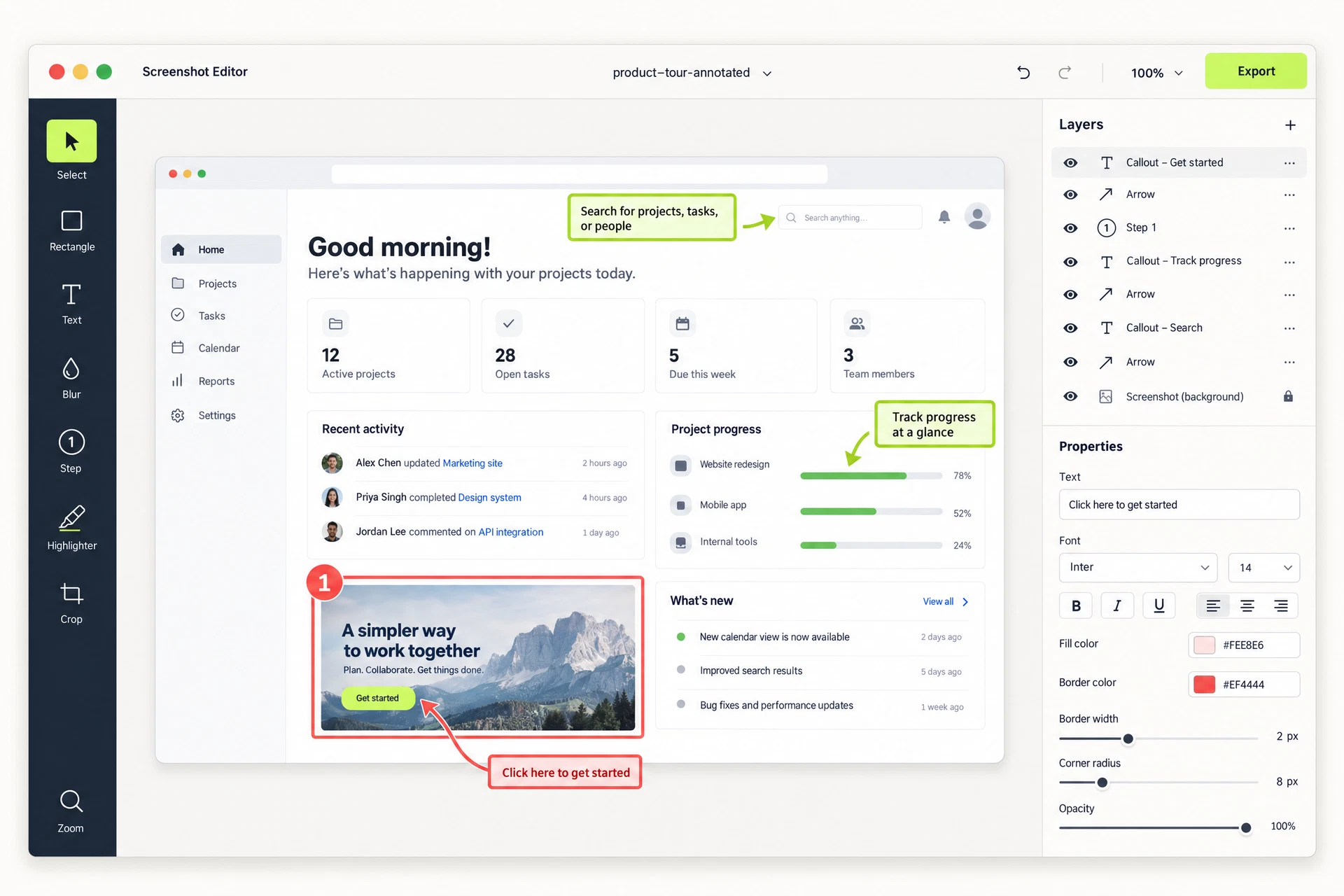
Show, don't tell. In seconds.
Press a hotkey, drag a region, and the editor opens instantly with your capture already on the clipboard.
- Numbered steps that auto-increment, perfect for tutorials and bug reports
- Smart blur and pixelate to redact emails, keys and faces
- Reusable themes: your colors, fonts and arrow styles, one click
- Non-destructive .glint projects you can reopen and edit anytime
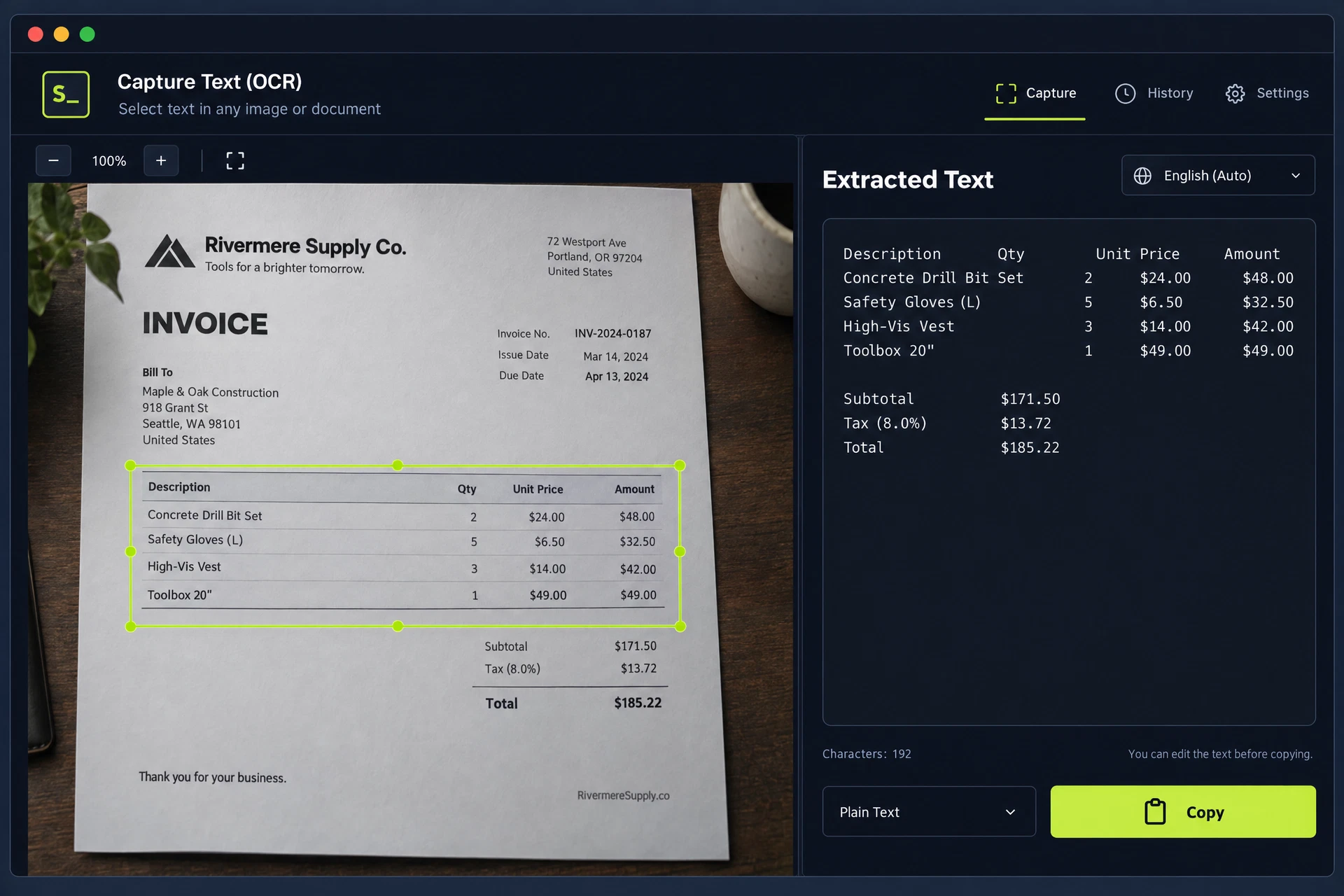
Copy text from anything you can see.
Images, PDFs, video calls, error dialogs, locked-down apps: select it and it's text. Recognition is on-device, so private stays private.
- 40+ languages, auto-detected or chosen
- Tables to CSV, QR codes and barcodes PRO
- Keep line breaks or reflow into paragraphs
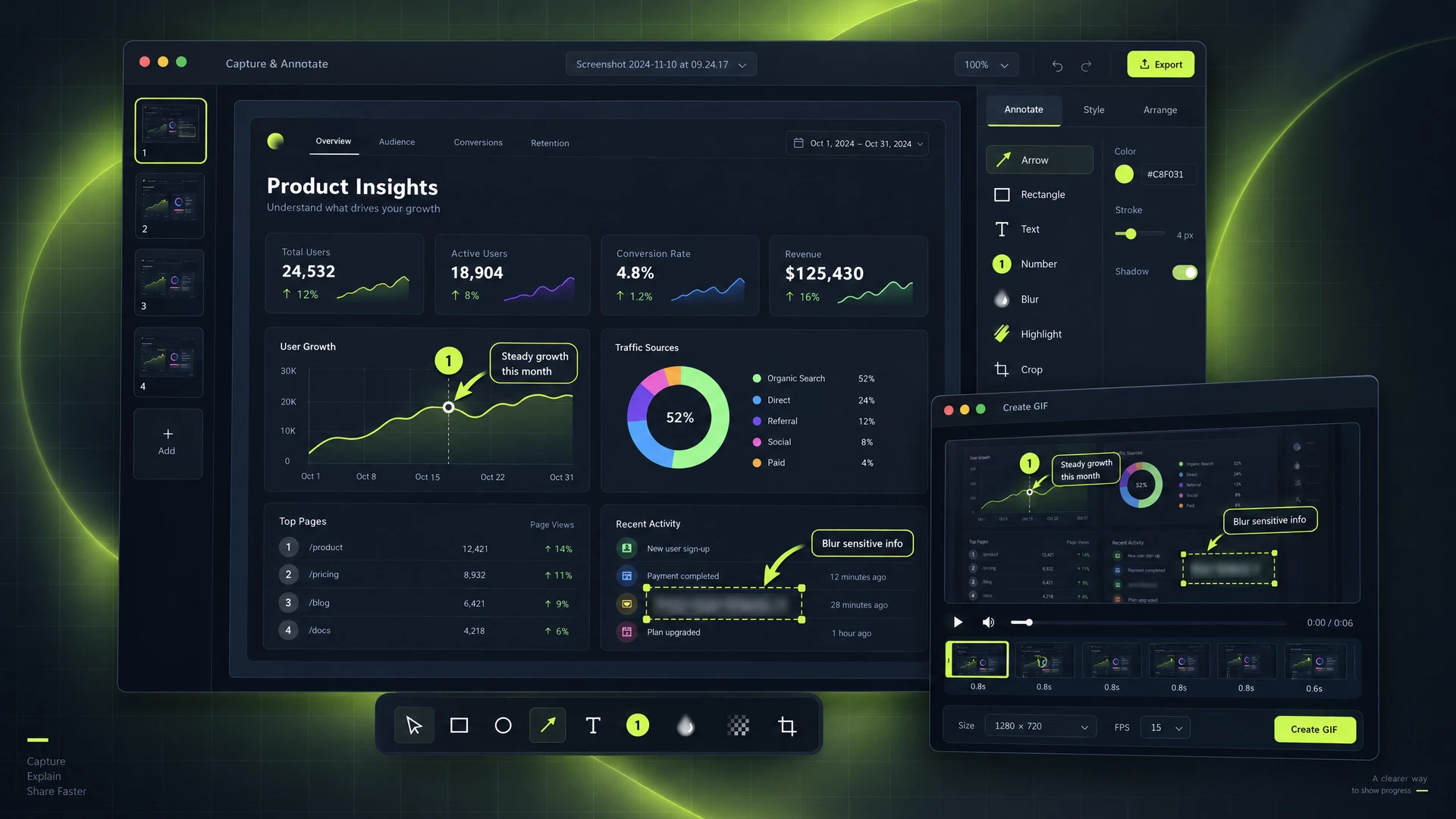
From screen recording to a 900 KB GIF.
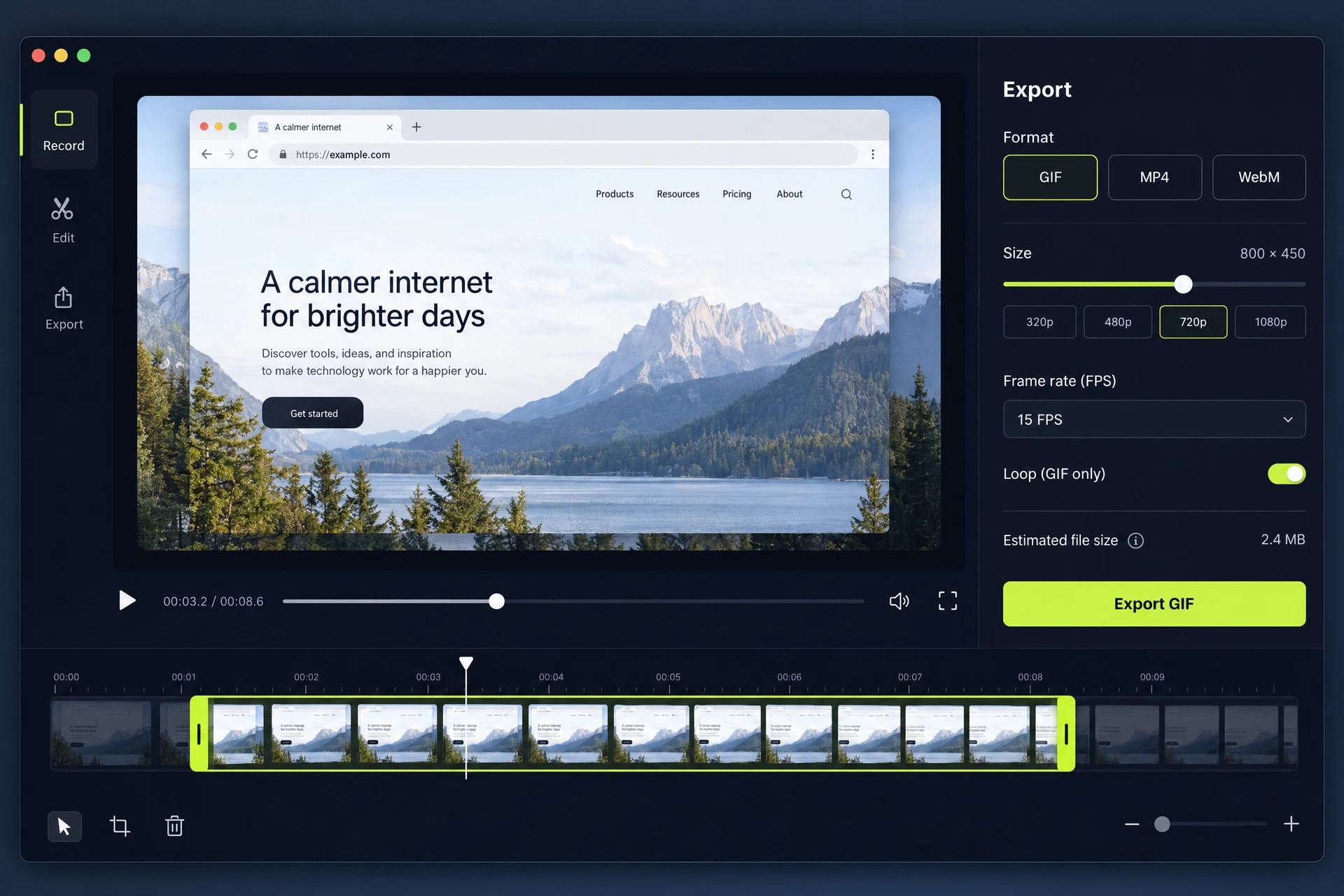
Record a window or region, trim it on the timeline, and export exactly the format and file size you need.
- GIF, animated WebP, APNG, MP4 and WebM
- Target-size compression: “make it under 2 MB”
- Click highlights, keystroke overlay and webcam bubble PRO
Who uses Glint every day.
Support teams
Annotated steps and short GIFs that resolve tickets in one reply.
Developers & QA
Bug reports with numbered markup, console OCR and recordings.
Designers & PMs
Pixel-accurate feedback on live pages and prototypes.
Creators & educators
Tutorials, docs and course material with consistent branding.
The math is simple.
Most capture suites cost $60–$200 every year. Glint is a single payment, and you keep using it as long as your computer runs.
Personal
For individuals and freelancers.
- Screenshots: region, window, full screen, delayed
- Full annotation editor
- On-device OCR, 40+ languages
- GIF, WebP, APNG, MP4, WebM export
- Screen recording up to 1080p / 30 fps
- Up to 2 devices, Mac & Windows
- All Glint 2.x updates free
Pro
For power users, support and QA pros, creators.
- Everything in Personal
- Recording up to 4K / 60 fps
- Scrolling capture
- OCR tables → CSV, QR & barcodes
- Webcam bubble, click & keystroke overlays
- Custom uploads (S3, SFTP, WebDAV), CLI & batch
- Up to 5 devices
- Priority email support
Team
For teams of 3–50. Priced per seat.
- Everything in Pro
- 3–50 seats, each with 2 devices
- Reassign seats from the license manager
- Shared themes & managed settings file
- Consolidated invoice with tax details
- Priority email support
Prices are shown in US dollars (USD). Taxes are calculated at checkout.
From purchase to productive in four steps.
Try it
Download Glint and use every feature free for 14 days. No card.
Buy once
Choose a plan and pay securely through Keyloft checkout.
Get your key
Your license key arrives by email within moments of payment.
Activate & keep
Paste the key in Glint. It works offline, and every 2.x update is yours.